



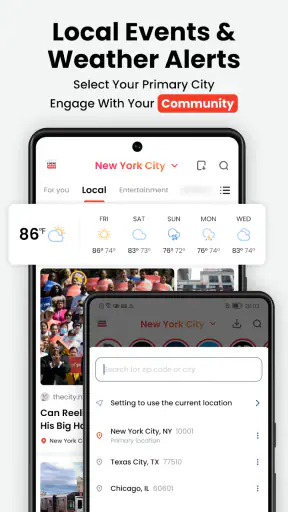

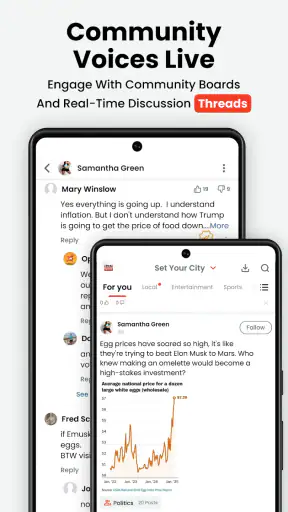

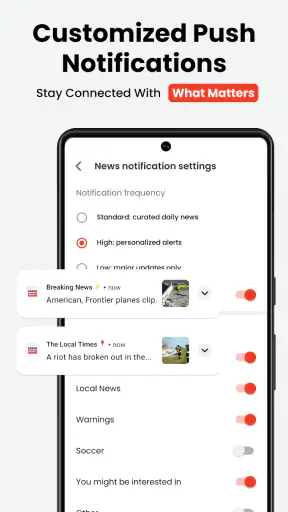
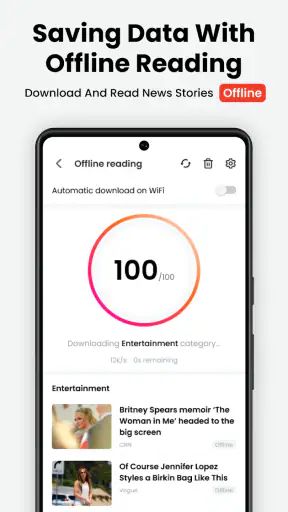

I found Local News: Headlines & Alerts most useful when I treated it as a quick local-awareness tool rather than a complete replacement for every news source on my phone. Developed by Opera, this free News & Magazines app focuses on nearby headlines, weather alerts, and practical updates that matter more because they are tied to where I am. That narrow purpose gives it a clear advantage during a busy day, although it also means the experience depends heavily on current connectivity and on how relevant the available local coverage is.
The app is aimed at people who want to check what is happening around them without opening several national news apps or searching manually. In my experience, that makes the first glance particularly convenient: I can look for a local disruption, a weather change, or a developing story before deciding whether I need deeper reporting. It is less suited to someone who wants long investigative articles, a broad international briefing, or a highly customizable news-reading system.
How Local News: Headlines & Alerts handles real-world connectivity
Useful when a quick connection answers an immediate question
The strongest part of the experience is the moment between “something may be happening” and “I need to know what it is.” If dark clouds are building before I leave work, a local weather alert can be more useful than a general forecast for an entire region. If traffic, public activity, or a nearby incident changes my route, a local headline gives me a reason to investigate before committing to the journey.
That usefulness is naturally tied to the network. Local information changes quickly, so the app needs a current connection to retrieve fresh material and alerts. I would not treat a headline seen earlier as a permanent record of the situation. The practical habit is to refresh when the information matters, especially before travelling or making a decision based on a developing event.
This is also where the app differs from a saved article reader. A reading app can be valuable after content has been downloaded, while this one is most meaningful when it can reach current local information. Its real strength is timely awareness, not offline reading. If I am underground, in an area with weak reception, or deliberately keeping the phone disconnected, I would use it later rather than depend on it as my only source of urgent information.
A sensible companion during short mobile checks
Local News: Headlines & Alerts fits short phone sessions better than long reading sessions. I can check a headline while waiting for a bus, glance at local conditions before walking outside, or scan nearby updates during a lunch break. The format encourages a quick decision: ignore the item, open it for more context, or look for confirmation elsewhere.
That workflow is important because mobile connectivity is rarely perfect. A phone may move between Wi-Fi and cellular service, pass through a crowded station, or lose signal inside a large building. A local-news app that is designed around immediate updates can feel excellent when the connection is stable and noticeably less useful when loading is interrupted. I found it better to use the app as a first check, then allow extra time if a particular story really affects my plans.
For commuters, the best routine is to check before leaving rather than waiting until the most difficult part of the journey. A quick look at home or at work gives the app a better chance to load current items while the phone has a dependable connection. Once outside, I can remember the important detail without expecting every screen to remain available in a weak-signal area.
What happens when the connection is unreliable
The main friction is not complicated navigation; it is uncertainty caused by changing network conditions. If an update takes longer to appear, I may not immediately know whether there is no new local story or whether the connection has stalled. That distinction matters more for alerts than for casual reading. A delayed entertainment headline is harmless, but a delayed weather warning deserves a second source and sensible judgment.
My recovery approach is simple. I retry after moving to a stronger signal, switch between available connections when appropriate, and avoid repeatedly refreshing without a reason. If the app does not immediately show what I expect, I check another trusted local channel for urgent information instead of assuming that silence means everything is fine. This is not a criticism unique to Opera; it is a basic limitation of current local information on a phone. Still, users should understand it before making the app part of a safety routine.
The app works best when I separate three questions: is there a connection, is the information current, and is the source detailed enough for the decision I need to make? Local News: Headlines & Alerts can help with the first awareness step, but I would not use a short headline alone to settle a complicated situation. For an important journey, severe weather concern, or public disruption, I prefer to open the underlying report or consult an official channel as well.
Using less data without losing the point
Because the app is built around current local updates, people who watch cellular usage should form a deliberate habit. I check it when I have a clear purpose instead of leaving it open all day. Short, intentional visits are easier to manage than constant refreshing, and they reduce the temptation to turn every minor headline into a repeated background check.
Wi-Fi is the obvious choice for longer reading or for catching up on several items. Cellular data makes more sense for a quick glance when I am away from home, but I would avoid repeatedly reopening the same feed simply because I am waiting for a trip or appointment. If a story is important enough to follow closely, I switch to a fuller source and read it carefully rather than using repeated headline checks as a substitute for context.
There is a useful trade-off here. A highly connected experience can feel more immediate, but immediacy is not the same as completeness. Local alerts may help me notice a change, while a full article or official notice explains what action is actually sensible. I use the app to reduce the time spent searching, not to remove the need for judgment.
Where it sits beside ordinary news alternatives
Compared with a national news app, this one has a more practical local angle. A large general-news service may offer stronger depth, more sections, and wider international coverage, but it can also bury a nearby update beneath stories that have no effect on my day. Opera’s app is more appealing when location-specific awareness is the priority.
Compared with a newspaper’s own application, the choice depends on what I value. A newspaper app may be better for a consistent editorial voice, detailed reporting, and following particular writers or subjects. Local News: Headlines & Alerts is more convenient when I want a quick view across local developments rather than a single publication’s complete reading experience.
Compared with social media, the app feels less distracting for a focused check. Social feeds can surface local events quickly, but they also mix rumor, commentary, repetition, and unrelated posts. I prefer this app for the first scan, then I verify important claims through a reputable report or official source. That two-step workflow is one of the most sensible ways to use it.
Compared with a weather-only tool, it offers a wider view because local news and essential updates sit beside weather-related information. The trade-off is specialization: if I only need a detailed forecast, a dedicated weather service may be the better choice. Likewise, if I need emergency instructions rather than a general alert, an official local service should take priority.
Everyday situations where it earns a place
Imagine I am preparing to leave for work and notice that the weather has changed. Instead of checking a broad forecast and then searching local headlines separately, I can use this app for an initial nearby update. If something looks relevant, I investigate further before choosing a route or deciding whether to delay leaving. The value is not that the app makes the decision for me; it shortens the path to information that might change the decision.
Another useful situation is arriving in an unfamiliar area. I may not know which local stories affect the neighborhood, while national apps have no reason to prioritize them. A local-focused feed can help me understand the immediate setting, especially when I am planning a day outside or trying to stay aware of conditions around an event. I still avoid treating every headline as verified guidance, but the local perspective is genuinely helpful.
It can also suit families who want a simple way to notice nearby developments without spending a long time browsing. The Everyone 10+ content rating makes it broadly approachable, although I would still use judgment with younger readers because news topics can vary in seriousness. The app is free, so trying it alongside an existing news routine is easy; the more important question is whether its local coverage matches the places that matter to the user.
Small habits that improve the experience
First, I use the app at natural decision points: before commuting, before outdoor plans, and after hearing that something may have changed nearby. That is more useful than checking continuously. Second, I read beyond the first line whenever the item could affect travel, safety, or another person. A short alert is a prompt to learn more, not automatically the whole story.
Third, I keep a backup habit for poor reception. If I know I will be travelling through areas with unreliable service, I check essential information while connected and do not assume the app will be equally useful throughout the journey. Fourth, I compare a serious local claim with an official or established source. This protects against misunderstanding a brief headline and gives me the context needed for a sensible response.
Finally, I judge the app by relevance rather than by the number of items it presents. A smaller set of nearby updates can be more valuable than a busy feed full of distant stories. If the local results repeatedly feel unrelated to my area, the app may not be the right primary news tool for me, even though its basic idea remains useful.
Who should install it, and who should skip it
I would recommend it to commuters, residents who want nearby headlines, travellers trying to understand a new area, and anyone who prefers short checks over a large national news feed. It is especially practical for people who want local awareness without committing to one newspaper’s entire ecosystem. The free price also makes it a low-risk addition to an existing routine.
I would skip it as a main news source if I mainly read long-form journalism, need specialist reporting, follow international affairs, or expect a complete archive of articles. I would also avoid relying on it alone for urgent conditions. A local headline can point me in the right direction, but official emergency information and detailed reporting remain more appropriate when the stakes are high.
Opera’s app has built a solid audience, with an average rating of 4.5 from around 29 thousand ratings and more than 5 million installs. Those figures suggest that the straightforward local-news idea resonates with many Android users, although popularity does not remove the need to check whether the coverage feels useful in a particular location.
What to expect from the current app
Local News: Headlines & Alerts arrived on February 24, 2023, and the current release is version 14.1.2254.83327. It supports Android 6.0 and newer, which gives it a wide technical reach across older and newer phones. I appreciate that the app does not require a recent flagship device simply to perform its basic role, though real-world responsiveness will still depend on the phone and connection being used.
As an app from Opera, it benefits from a recognizable developer behind the product, but I would still evaluate it on the daily experience rather than the name alone. The important questions are practical: does it surface the places I care about, does it load reliably on my usual connection, and does it help me act without creating extra noise? Those answers can vary by location and by the kinds of updates available there.
My connectivity verdict
After using it as a quick local briefing, I see Local News: Headlines & Alerts as a useful connected companion rather than an all-purpose newsroom. It is at its best when I have a stable connection, a short question, and a reason to care about what is happening nearby. Its weakest moments come when reception is poor or when I expect a headline feed to provide the depth and authority of a full report.
I recommend it for convenient local awareness, with one condition: use it as the starting point, not the final word. Check it before mobile plans, use Wi-Fi when catching up on several updates, and keep another trusted source available for important decisions. If that matches the way you consume news, the free app is worth trying. If you need offline certainty, deep journalism, or specialized coverage, a dedicated alternative will serve you better.


